
Key Features
- Clean Design
- Responsive Layout
- WPML Plugin Support
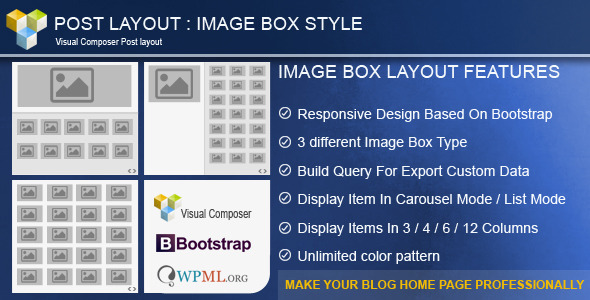
3 different Box TypeA large item in top and other items in below (one column)
A large item in left and other items in right side
Display all image with same size
Build Query : You can choose data source(post,custom post,page,…),number of items and order by. Then you can filter them by category,Taxs and …
Choose data source Select post types to populate posts from. Note: If no post type is selected, WordPress will use default “Post” value.
Post Count : How many teasers to show? Enter number or word “All”.
Order By : Select how to sort retrieved posts. More at WordPress codex page
Categories : Filter output by posts categories, enter category names here.
Tags : Filter output by posts tags, enter tag names here.
Taxonomies : Filter output by custom taxonomies categories, enter category names here.
Individual Posts/Pages/Custom Post Types : Only entered posts/pages will be included in the output. Note: Works in conjunction with selected “Post types”.
Author : Filter by author name.
- Hide/Show Excerpt in items
- Image Effect
- Icon Effect
2 types of diplay items : We provide 2 types of display items.- Display item in list view
- Display item in Carousel Mode
- Choose count of item for carousel
Unlimited color pattern : You can choose multi pattern for your BOX- Lightbox for (Custom)Posts image
Full control in Carousel
Carousel Item Per View Choose Item per view
speed Choose Item per view
Hide prev/next buttons If “YES” prev/next control will be removed.
Slider loop Enables/Disable loop mode.
Other Options- Display Latest Post
- Display Oldest Post
- Display only category`s posts
- Display Author`s posts
- And ….
Post Layout: Image Box for Visual Composer (Add-ons)
Keywords- blog image, box view, custom post, image box, image grid, layout, news image, news in pic, post, post gallery, post image, post layout, post tiles, vc addon, visual composer
Categories- wordpress

No comments:
Post a Comment